Digital Accessibility Compliance Roadmap

This roadmap aims to assist with preparing for the updated regulations for ADA Title II, scheduled to take effect on the compliance date, as well as meeting other legal and policy obligations to deliver an accessible digital ecosystem to the U-M community and members of the public who utilize our information and services. This work will necessarily be ongoing and require everyone’s efforts.

Digital accessibility is a shared responsibility. U-M's Digital Accessibility Compliance Roadmap is a simple, customizable resource to guide units and individuals through the steps required to bring our digital assets into compliance with digital accessibility standards. The roadmap is designed for anyone who creates, purchases, or maintains digital assets or content for U-M. It is written in non-technical language to make it broadly understandable and points to technical guidance where helpful.

Let's get our digital assets in compliance!

Why This Matters

To support U-M's mission, it is important to ensure our digital systems and content are accessible to everyone, including those with disabilities and those using a range of technologies. U-M Standard Practice Guideline 601.20 (Electronic and Information Technology Accessibility) commits us to "creating and maintaining electronic and information technology that strives to be comprehensively accessible". In addition, federal and state laws that apply to U-M—such as the Americans with Disabilities Act (ADA) and Rehabilitation Act (Sections 504 and 508)—outline specific requirements to ensure that digital content and systems are accessible to people with disabilities.

Using the Roadmap

Tip: If you're new to digital accessibility as a concept, check out U-M's Introduction to Digital Accessibility for the basics.

The roadmap branches into 9 digital asset pathways that cover major digital asset types as well as purchasing:

  1. Websites
  2. Events & Presentations
  3. Course Content
  4. Documents & Emails
  5. Video & Audio
  6. Images & Complex Visuals
  7. Desktop & Mobile Applications
  8. Social Media
  9. Procurement

Follow the digital asset pathways that cover content relevant to your role at U-M. For example, communications specialists may work with websites, social media, videos, and emails—so four digital asset pathways would apply. Digital asset pathways are cross-linked to ease navigation. For example, instructors following the “Course Content” pathway will also be directed to applicable guidance in the “Documents & Emails” and “Video & Audio” pathways, as these are common formats used for course content.

Guidance within each digital asset pathway is broken down into 4 action areas necessary to support digital accessibility compliance. You/your unit may move through these linearly or non-linearly and may be engaged in multiple action areas simultaneously.

Action Area What it covers Who it’s for
Learn Foundational education resources. Applicable to anyone whose work intersects with the pathway topic.
Review Guidance on how to evaluate digital assets for accessibility and strategically respond to inaccessible items. Most useful to those leading digital accessibility transformation efforts for a unit or team.
Remediate Directions for making repairs to inaccessible assets, including links to techniques. Important for those who need to directly fix inaccessible assets or work with suppliers to do so.
Monitor & Improve Advice for sustainably integrating digital accessibility practices into your workflows. Helpful to everyone.

Note: Some linked resources require login via U-M Single Sign-On (SSO).

Digital Asset Pathways

  • Websites

    Department webpages, web forms, and online services accessed by browser (Wolverine Access)
  • Events & Presentations

    Virtual meetings, presentations, and slide decks (Zoom, PowerPoint, Google Slides)
  • Course Content

    Canvas sites, academic materials including STEM content, eLearning tools (iClicker, Piazza, Perusall)
  • Documents & Emails

    Text documents, spreadsheets, PDF, HTML, EPUB, LaTeX, emails, form files
  • Video & Audio

    Lecture recordings, video tutorials, podcasts, music, and other audio files
  • Images & Complex Visuals

    Photos, data visualizations, maps (charts, graphs, logos)
  • Desktop & Mobile Applications

    Desktop software and applications designed for phones and tablets (Adobe Acrobat, U-M Magic Bus app)
  • Social Media

    Content posted to Facebook, X, Instagram, etc.
  • Procurement

    Purchasing products and services with a digital component
Suggested Timeline & Focus

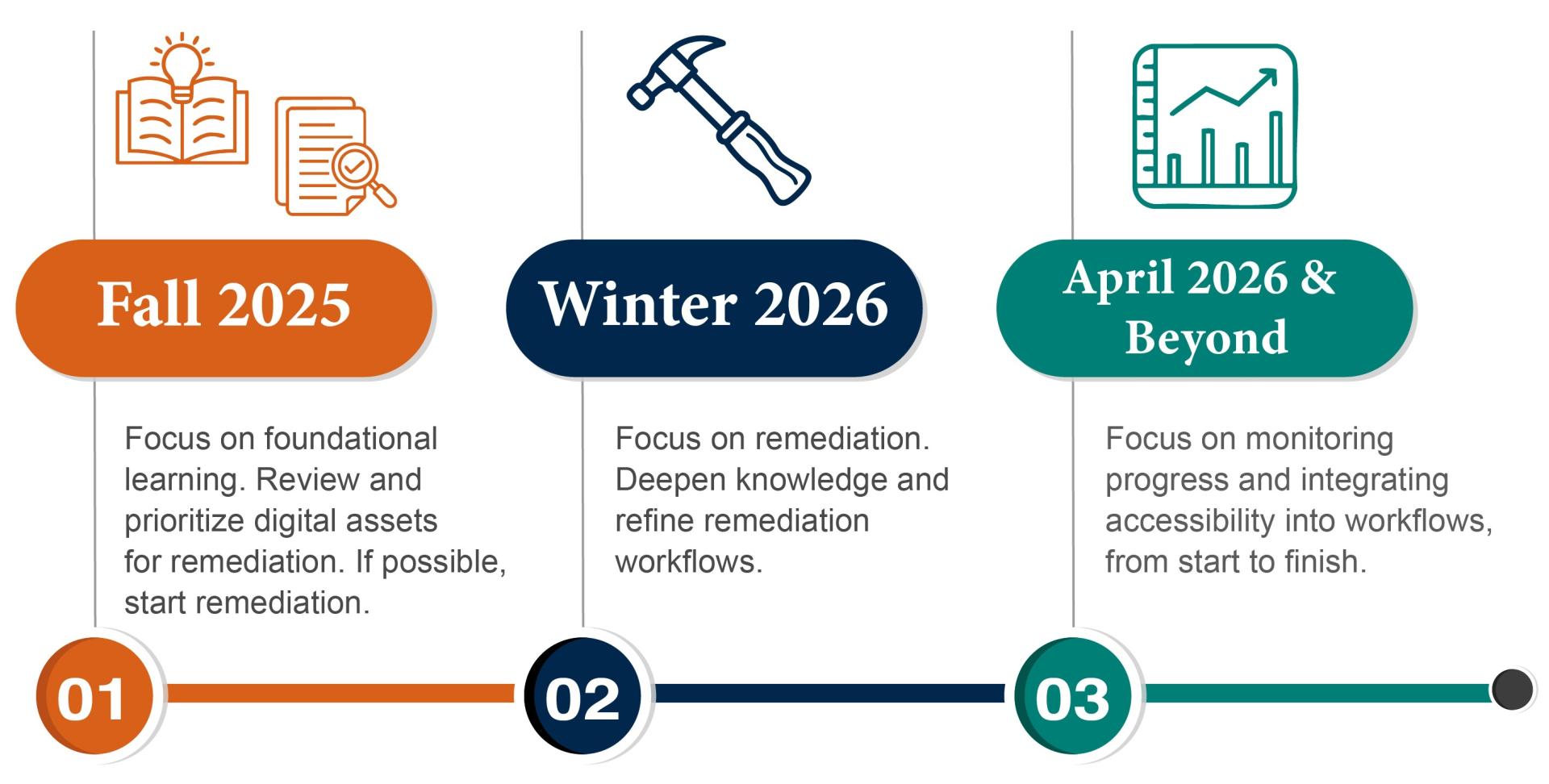
To assist with prioritizing time, energy, and resources, here are the key activities you should focus on before and after the updated Title II regulations take effect.

Fall 2024: Focus on foundational learning. Review and prioritize digital assets for remediation. If possible, start remediation. Winter 2026: Focus on remediation. Deepen knowledge and refine remediation workflows. April 2026 and Beyond: Focus on monitoring progress and integrating accessibility into workflows, from start to finish.

Roadmap Help, Awareness & Barrier Reporting

Roadmap Help

For assistance using and adapting the roadmap, request a digital accessibility consultation via Accommodate with the Disability Equity Office.

Roadmap Awareness

Please use this email template to raise Compliance Roadmap awareness within your unit and team.

Barrier Reporting

It is important to offer accessibility help and the option to report accessibility barriers with all digital resources. Visit the Address Barriers & Complaints webpage for reporting links and further guidance.